XLNative for Excel on Mac

Live Interactive Brokers data in Excel for Mac

Stream market data, account values, positions, P&L, and cost basis directly from your local Interactive Brokers (IBKR) TWS / IB Gateway session — using the IBKR data access you already have.

Stocks Options Futures Currencies Crypto Indices CFDs

Streaming Excel formulas. No VBA, no COM, no REST polling.

XLNative uses the Interactive Brokers (IBKR) data available to your TWS / IB Gateway session. No separate real-time data subscription from XLNative is required.

Excel formulas

Live data, directly in cells

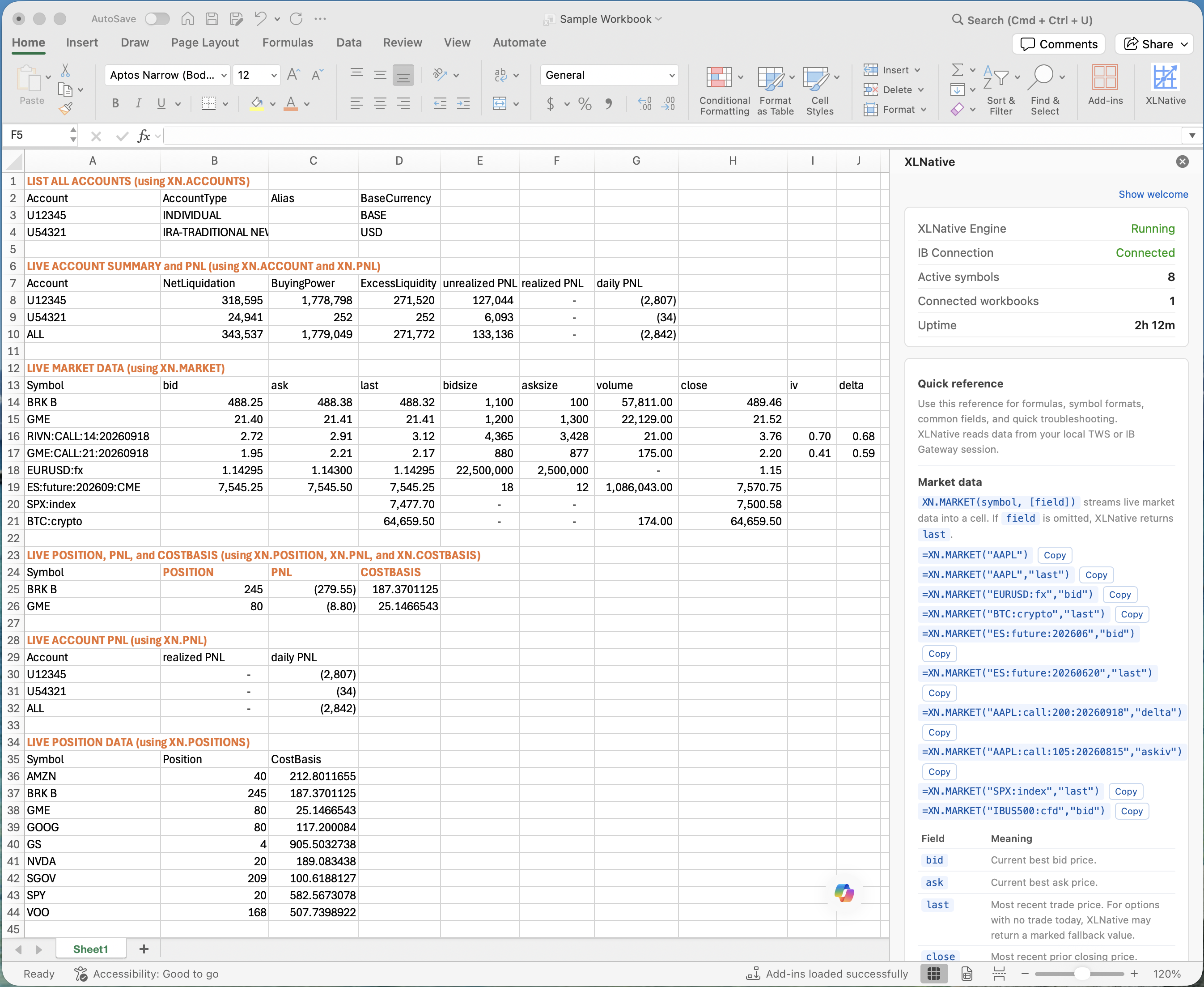
XLNative formulas update as live data arrives from your local TWS or IB Gateway session. Use XN.POSITIONS to spill an automatically refreshing table of open positions into your workbook.

=XN.IB("AAPL","last")=XN.ACCOUNT("ALL","NetLiquidation")=XN.PNL("ALL","daily")=XN.POSITION("U12345","AAPL")=XN.COSTBASIS("U12345","AAPL")=XN.POSITIONS("U12345")

Market data access

Use your existing IBKR market data

XLNative connects Excel to the live data already available through your local Interactive Brokers (IBKR) TWS or IB Gateway session. If you already subscribe to market data through Interactive Brokers, XLNative can stream that data into Excel without requiring a separate real-time market-data vendor subscription.

XLNative uses the IBKR data available to your TWS / IB Gateway session. No separate real-time data subscription from XLNative is required.

  • Uses your local TWS / IB Gateway session
  • No separate real-time data subscription from XLNative
  • Supports the market-data permissions already available to your IBKR account
  • Works alongside your existing IBKR workflow

Features

Built for workbook-driven IBKR workflows

Live market data

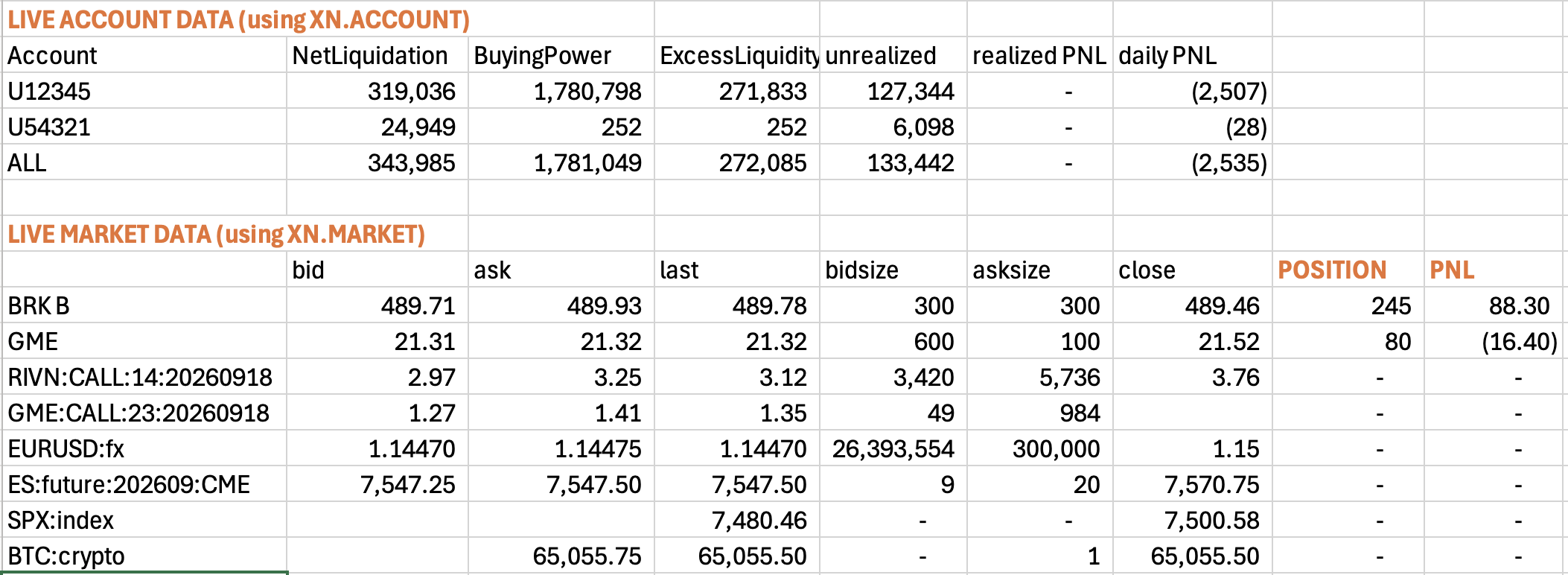
Stream bid, ask, last, size, volume, and related fields directly into Excel cells.

Stocks through CFDs

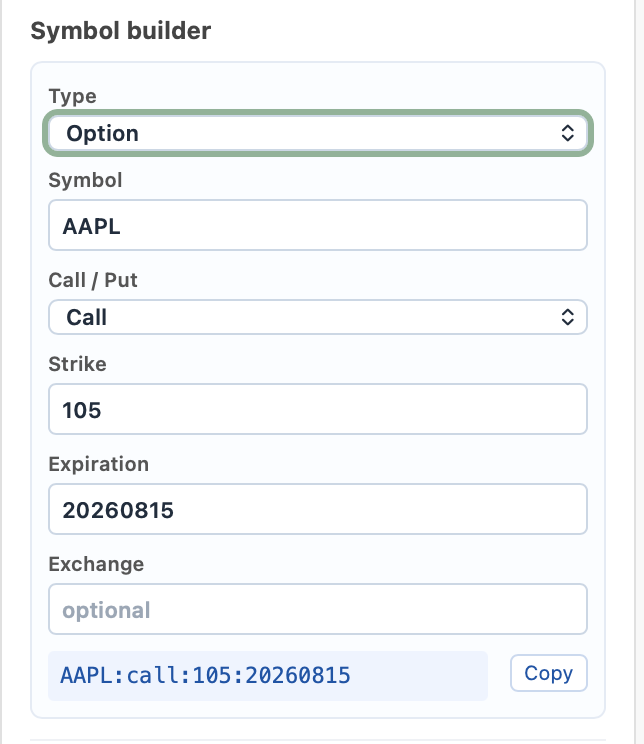
Use one consistent formula style for stocks, options, futures, currencies, crypto, indices, and CFDs.

Account summary values

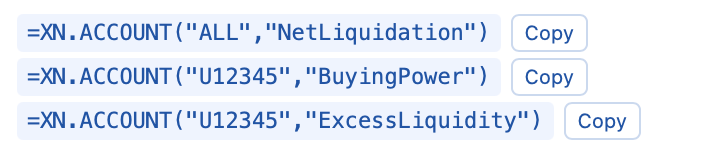
Pull fields such as NetLiquidation, BuyingPower, and ExcessLiquidity.

Session P&L

Display unrealized, realized, and daily P&L values from the active IBKR session.

Positions and cost basis

Track a symbol's current position and average cost basis as the account changes.

Live positions table

Spill all nonzero positions into a table that refreshes automatically.

Options Greeks and model fields

Stream iv, delta, gamma, theta, vega, model price, and underlying price for options.

Native Mac workflow

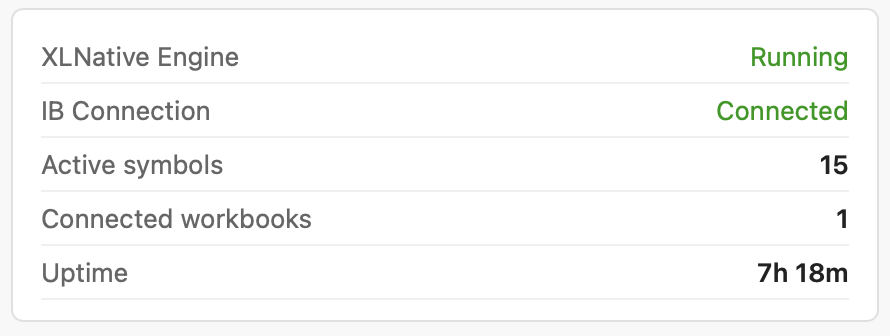
See connection status and manage the local TWS / IB Gateway connection from the Mac menu bar.

Mac workflow

Works with your local TWS or IB Gateway session

XLNative runs on your Mac alongside Excel and your existing TWS or IB Gateway setup. Sign in to Interactive Brokers as usual, enable API access, and XLNative streams the available data into Excel formulas.

  • Built for M-series Macs and the Excel for Mac desktop app
  • Uses the local TWS / IB Gateway API session
  • Works with read-only API access, which is recommended
  • Shows connection status from the Mac menu bar
  • Keeps formula examples close to your workbook

Product views

Screenshots coming with the beta

Excel workbook with formulas
XLNative menu bar status
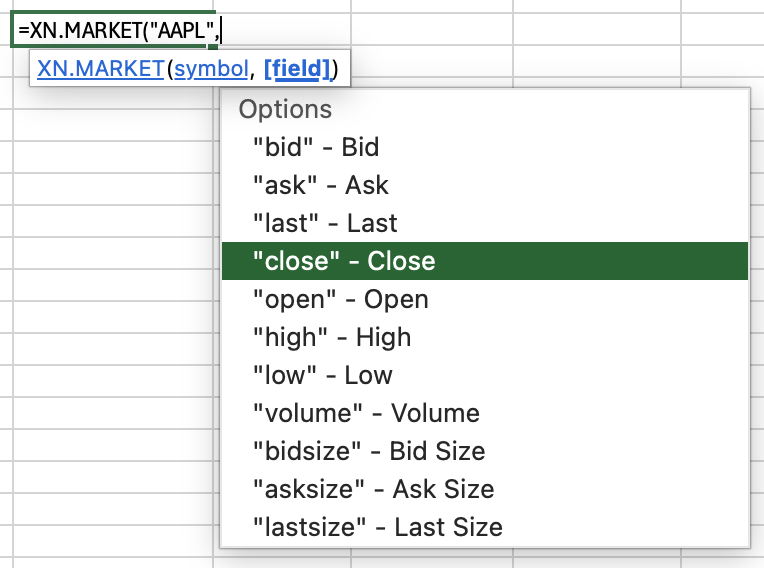
In-Excel formula reference
Local connection settings

FAQ

Common questions

Does XLNative work on Mac?

Yes. The current beta is built for M-series Macs running the Microsoft Excel for Mac desktop app, version 16.4 or later. It connects to TWS or IB Gateway running locally.

Do I have to share my IBKR login with XLNative?

No. You sign in directly to TWS or IB Gateway as usual. XLNative automatically connects to that local API session on your Mac; Trelliq Labs does not receive your IBKR username or password. XLNative works with read-only API access, and read-only access is recommended.

Do I need a separate real-time market-data subscription?

XLNative does not sell market data. It streams the data available through your local TWS or IB Gateway session. If your IBKR account has the required market-data permissions, XLNative can make that data available in Excel without requiring a separate real-time data subscription from XLNative.

Does XLNative stream data from other providers such as massive.com?

Not at this time, but stay tuned.

Does TWS or IB Gateway need to be running?

Yes. XLNative reads data from your local TWS or IB Gateway session.

Can XLNative run without API access enabled?

You can install and open XLNative, but live Excel formulas need API access enabled in your local TWS or IB Gateway session. Without that local API connection, XLNative cannot stream IBKR data into Excel.

Does it support Windows?

No. The current beta is for M-series Macs and the Excel for Mac desktop app only.